
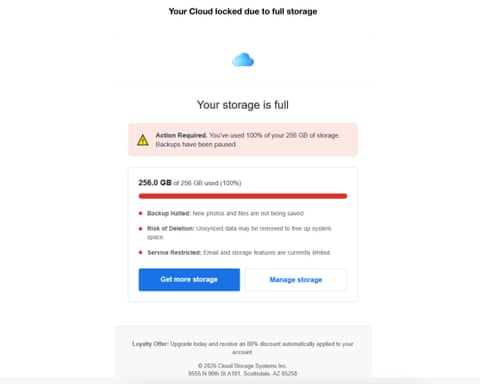
The most effective scams take advantage of legitimate situations. Many people have gotten legitimate messages from Apple telling them that their iCloud storage under their present plan is full. If your iCloud storage is full you can still save your photos and videos to your iPhone or iPad and documents you create will stay on your device, but these photos, videos and documents won’t upload to your iCloud account. Scammers are taking advantage of confusion as to what it means to have your iCloud account full by sending text messages like the one shown below that your iCloud account has been blocked and that your photos, videos and documents may be deleted unless you upgrade your account immediately. Clicking on the link in the text message to upgrade storage brings you to an AI created and legitimate appearing Apple website where you are prompted to provide credit card information which, if provided will lead to identity theft and credit card fraud.
TIPS
The safest way to update your account is to do so in the following manner
On iPhone or iPad
- Open Settings
- Tap your name at the top
- Tap iCloud
- Tap Manage Storage or Manage Account Storage
- Tap Change Storage Plan
- Choose a plan and confirm with Face ID / Touch ID / passcode
On your computer you can update your account by going directly to the Apple website at https://appleid.apple.com
If you are not a subscriber to Scamicide.com and would like to receive free daily emails with the Scam of the day, all you need to do is sign up for free using this link. https://scamicide.com/scam-of-the-day/